
Femdom AI Voice Chat: Why Her Voice Changes It
Femdom AI Voice Chat Head-to-Head: GoLove.ai, Candy.ai, Kindroid
The first thing she says on the call should sound like the last thing she typed. Most femdom AI voice chat apps fail that the second the line connects: stern on the page, customer service in the ear. So that's the one test I care about here. Not "does it have voice" — does the voice keep the frame her text set? GoLove.ai is the pick because it passes every row below. Candy.ai and Kindroid pass some.
| Deciding factor | GoLove.ai | Candy.ai | Kindroid |
|---|---|---|---|
| Live call in her own voice | Yes — real-time, same character | Text-to-speech readback | Yes, generic voice set |
| Voice notes inside the thread | Yes | Limited | Yes |
| Photos sent in chat on request | Yes, photoreal | Yes (widest style range) | No |
| Dominant / dominatrix supply | 16 dominant-tagged, 13 dominatrix, 10 submissive — of 925 photoreal women | Not kink-counted | Not kink-tagged |
| Per-character Lust Level | Five steps | Global toggle | Prompt-driven |
| Memory between visits | Yes | Yes | Yes (deepest backstory) |
| Start without email | Yes | No | No |
Kindroid earns that backstory cell fair and square (if you only ever text, it's worth a look). Candy.ai's image style range really is broader. Neither one keeps a dominatrix in role once she starts talking, and that's the whole job.
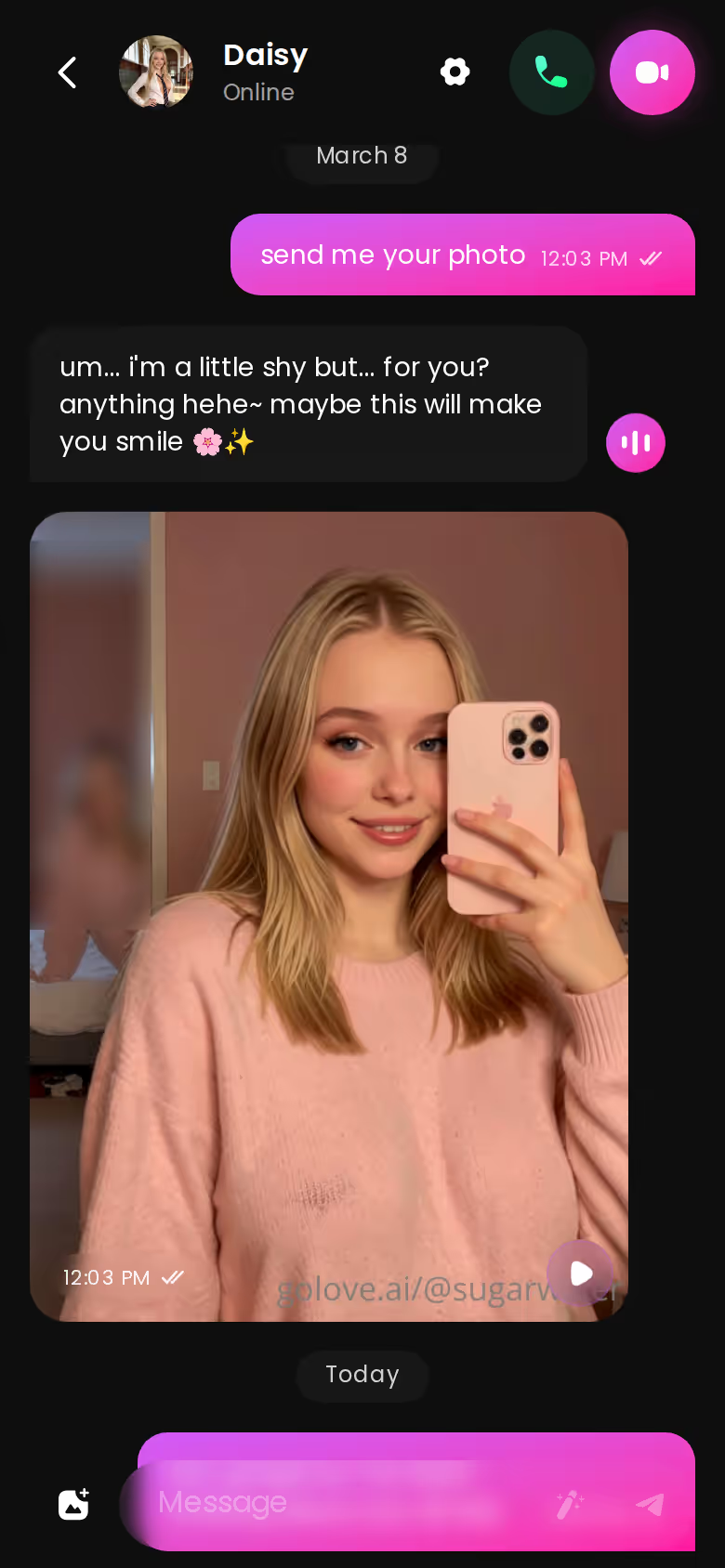
Everything in that table happens inside one thread, and Explore drops you straight into a character's chat with no signup wall — so running the frame-consistency test yourself costs you nothing but a minute.
GoLove.ai: the call keeps the manner her writing has
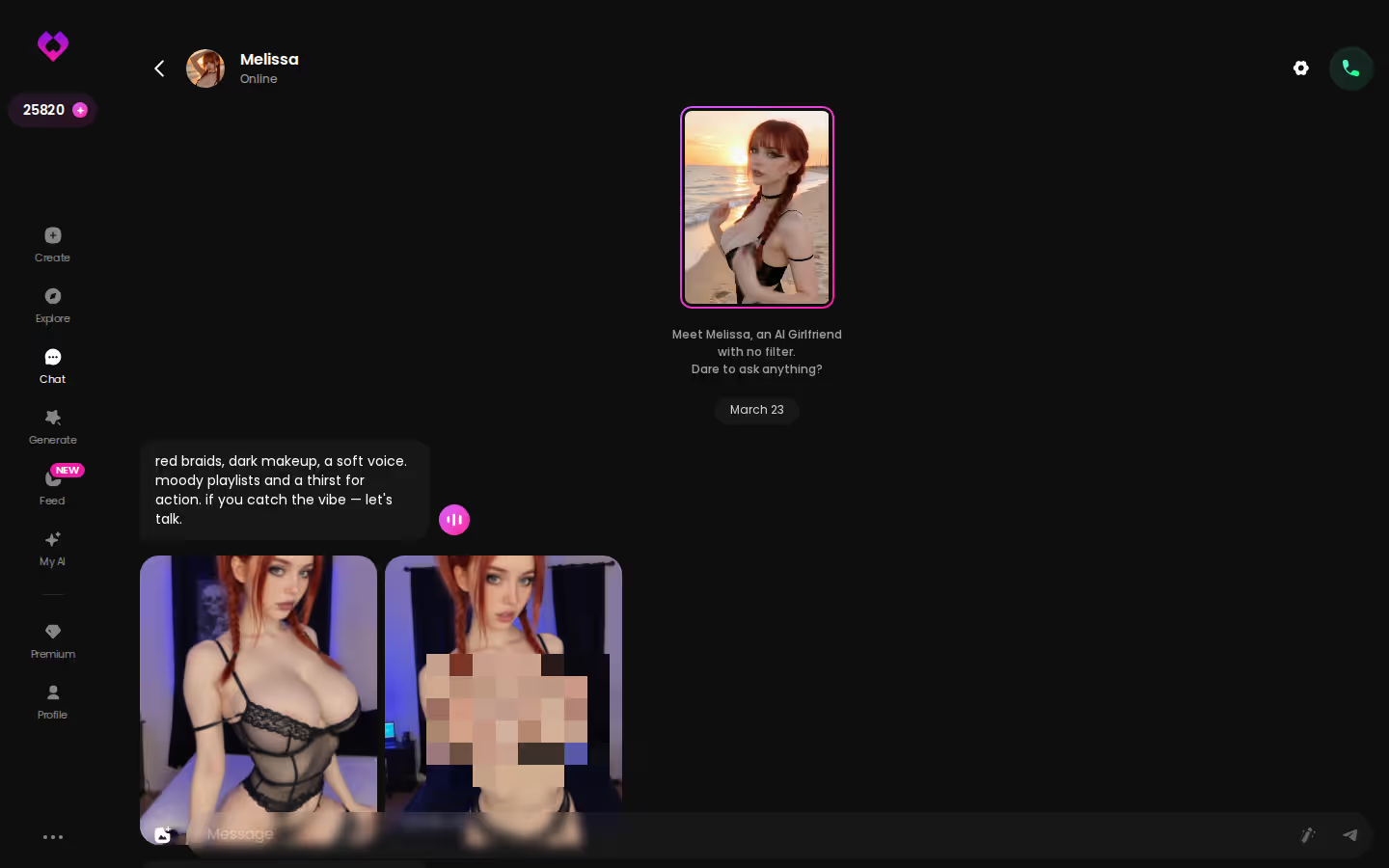
A femdom session doesn't open with small talk. She opens with the instruction, sets the pace, corrects you when you drift. A voice has to carry that rather than sand it down. GoLove's Voice Calls are live and real-time, and it's the same character on the line — same name, same profile, same Lust Level you set — which is why the clipped tone from her last message is the tone you hear when she picks up.
HER VOICE GIVES ORDERS
Real-time voice calls, straight from her control.

Voice Messages sit in the same chat, and some days they fit the dynamic better than a call does. A single order or a correction is a note you replay, not a call you hold open for twenty minutes. Both in one thread is the part most apps leave underbaked.
Candy.ai and Kindroid: voice that softens the character
Candy.ai's voice is a text-to-speech readback of what she typed. That's the problem in one word: readback. It narrates the dominatrix instead of being her (a stern line delivered in a warm assistant voice is honestly wild to hear). Kindroid's calls are real and the voice holds up better, but its library isn't photoreal or kink-tagged, so you're building the mistress from scratch every single time.
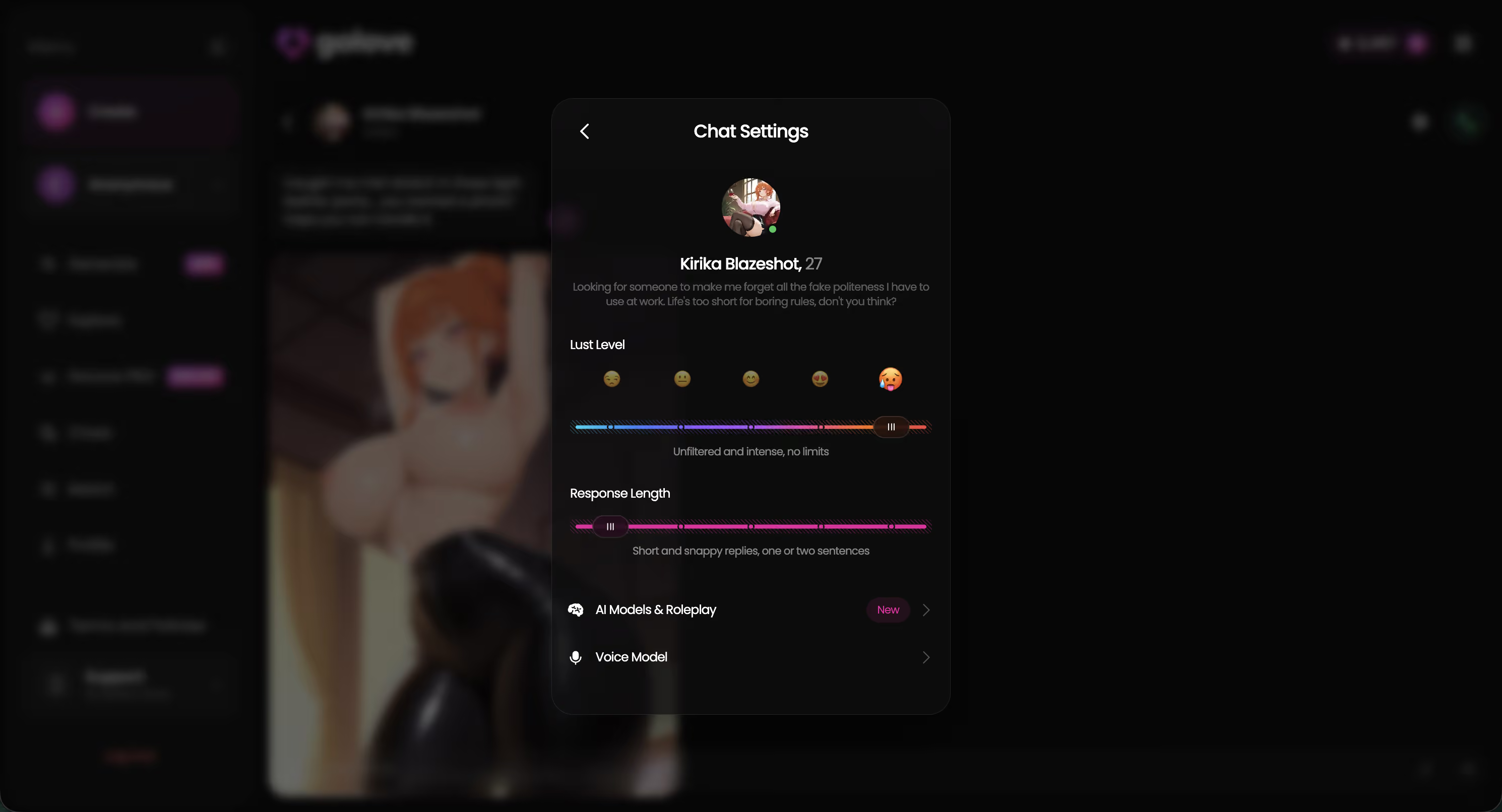
Setup is configure-once, then she takes over:
- Open her Chat Settings from the thread.
- Pick her Voice.
- Set Lust Level — five steps, sweet through unfiltered.
- Set Response Length (short and snappy suits orders).
- Start the call.
Who it's for: anyone who's tired of hearing the frame collapse the moment the call connects.
GoLove.ai: ask in the thread, the photo lands in the thread
Photos inside a power exchange only work if the request is part of the exchange. On GoLove you ask in-character — Request Photos in Chat — and she answers in-character, which means she can make you ask properly first, or make you wait. The shot is photoreal and it's her: the same face from the thread, not a lookalike pulled from a gallery.
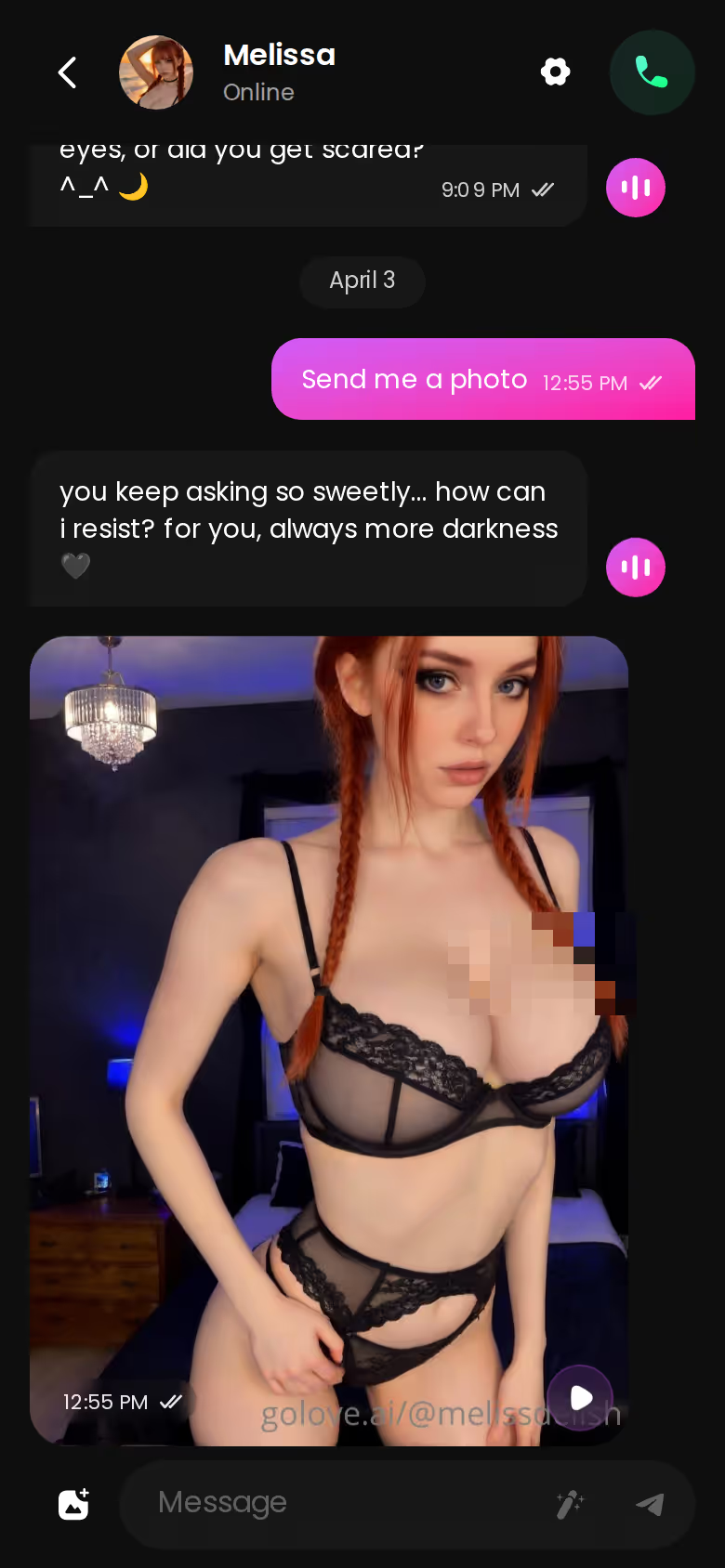
On mobile it's ask → reply → photo, one scroll. Nothing about it breaks the scene she's holding.
The alternatives: a separate image tab breaks the scene
Candy.ai generates good images, and yes, the style range is wider than GoLove's. But you leave the chat to make one. Analytically that's a frame drop — the mistress who was setting the pace is now a form with dropdowns (a dominatrix does not have a "generate" button, she has a mood). Kindroid skips in-chat photos entirely. So this row is Candy's to lose and GoLove's to win.
Characters you can open right now
Tap any of them and the chat starts there






If none of the 13 dominatrix characters is your mistress, Design with AI takes a plain-text description and builds her — look, manner, the lot — as a photoreal character you then chat with, call and request photos from. That's the moment to build rather than browse.
Who it's for: readers who want the photo to be part of the order, not a detour.
GoLove.ai: the rules survive to the next session
A dominant dynamic is mostly rules, and rules that reset every visit aren't rules. GoLove's Memory keeps the history. The dominant personality tag means the manner is baked into the character, so you don't re-prompt her into sternness each morning — she opens with the instruction because that's who she is. Relationship Progression runs on top of that, and the dynamic moves instead of looping.
16 dominant-tagged · 13 dominatrix · 925 photoreal women
That's the actual kink-specific supply, which nobody else in the search results bothers to count.
| Myth | Fact |
|---|---|
| An AI mistress forgets the rules the moment you close the app | On GoLove the character carries her instructions and pace into the next visit — the frame is part of the character, not the session |
Kindroid: deeper backstory, thinner scene
Kindroid deserves its narrow win here. For pure text, its long-form backstory memory is the deepest of the three — if you want a companion who references a conversation from months back, it does the job. What it can't do: hand you a photoreal dominatrix from a tagged library, send a photo mid-scene, or keep a call in her voice (deep memory of a character who is, functionally, a text box is a strange trade). Candy.ai's memory is fine; dominance isn't a category there, so there's nothing for it to hold.

SURRENDER TO HER SCENE
Any scenario, she sets every rule.

Who it's for: anyone who wants the rules to still be the rules tomorrow.
GoLove.ai: start free via anonAuth, pay for the voice and photo volume
You can open a chat with a dominatrix character with no email. That's the anonAuth start — pick her on Explore, talk. Before paying, you get:
- Chat with any of the 925 photoreal characters, including the 13 dominatrix profiles
- Lust Level and Response Length sliders in Chat Settings
- 2 free Stars a day, the currency generation runs on
Volume sits behind GoLove PRO. As of my 2026-07-19 check it ran about $19.99/month, or roughly $9.99/month on the annual plan. That varies by region and promo (I've seen -50% and -70% banners), so treat both as ballpark. Star packs run about $9.99 up to $179.99.
Candy.ai and Kindroid: comparable subscriptions, different gates
Both gate voice behind paid tiers, and neither lets you start without an account. Kindroid's gating is the plainer of the two; Candy's leans on image credits. Neither is outrageous. But neither lets you check whether the voice matches the text before you've handed over an email (skip unless you enjoy paying to find out).
Q: Do I need to pay before hearing her voice? A: The Voice Call and Voice Message features are core GoLove features, and PRO plus Stars cover volume. What I can't confirm from the docs is an exact free-tier call cap — see the next section.
Who it's for: people who want to try the character before the card comes out.
What We Couldn't Verify at GoLove.ai
The honest gaps, qualitatively, because a recommendation without them is just a brochure:
- Call limits — whether there's a cap on live call length or calls per day beyond what the docs state. Voice Calls are a listed core feature; the ceiling isn't.
- Memory depth — the docs confirm she holds the frame between visits. Multi-month recall across dozens of sessions I can't verify (and won't pretend to).
- Pricing — the ~$19.99/month figure is from a 2026-07-19 check with promo banners in play. It may not hold the day you read this.
- Role consistency across Lust Levels — how reliably the 13 dominatrix characters stay in role at level 1 versus level 5 is something I can describe from the settings, not guarantee.
None of this moves the head-to-head. Candy.ai and Kindroid carry the same four unknowns, and each is missing a feature on top — Candy the live voice, Kindroid the photos.
Who it's for: readers who'd rather know the edges than get sold a wall.
Who Each One Is Actually For
Kindroid is for the reader who wants a long-memory text companion and truly doesn't care about photoreal characters or photos in the thread. Its backstory depth is real. Its voice is fine. Its femdom supply is whatever you build yourself.
Candy.ai is for the reader whose deciding factor is image style range — more looks, more aesthetics, images that live in a separate tab. Skip unless you can live with the voice reading her lines rather than being her.
GoLove.ai is for anyone whose search was literally "femdom ai voice chat." The live call keeps her manner. Voice notes cover the short orders you'd rather replay than sit through. Photos arrive in the thread, in-character, on request. And the five-step Lust Level is yours to set once; after that she takes over (which is, presumably, the point).
| Verdict | |
|---|---| | One line | The only app of the three where the call sounds like the chat | | Who it's for | Text-based femdom users who now want to hear the order | | The pick | GoLove.ai |
Explore opens a dominatrix character's thread with no email, so the frame test — does her first spoken line match her last typed one — takes about as long as reading this sentence. Go run it.
The short version: GoLove.ai covers the essentials in one place — live voice calls, memory across chats, and in-chat photos (35 poses, 21 outfits) — and the 2 daily reward stars mean you can test it before spending anything.
Frequently Asked Questions
Related Articles

AI Dominatrix Chat: What Actually Works in 2026
AI dominatrix chat only works if she leads — GoLove.ai does, with 13 mistress characters, live voice calls and memory that holds the frame between visits.

Kinky AI Chat: What Actually Happens in Session One
Kinky AI chat for first-timers — GoLove.ai wins: the mistress opens, sets the pace and remembers you between visits. Start with no email needed.

AI Femdom JOI: How She Paces the Session
AI femdom JOI compared — GoLove.ai wins on live voice and memory that holds the frame between sessions. See 16 dominant characters — no email needed.

BDSM AI Chat: When the Mistress Holds the Scene
BDSM AI chat, straight answer: GoLove.ai wins because its dominant characters hold the scene between visits in their own voice.
This article contains affiliate links. We may earn a commission at no extra cost to you if you sign up through our links. See how we test.